



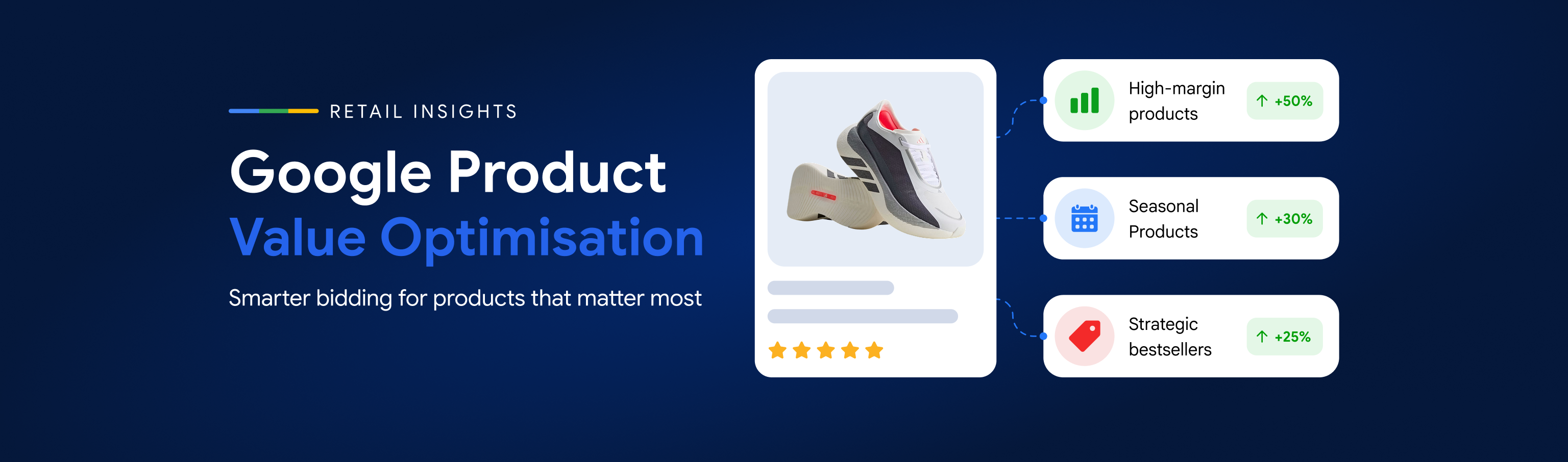
Google Introduces Product Value Optimisation: Smart Bidding Can Now Understand Which Products Matter More to Your Business
Google’s new Product Value Optimisation gives retailers a smarter way to align automated bidding with real business priorities. Instead of treating every sale with the same value, advertisers can signal which products matter more based on factors such as margin, stock levels, seasonality and bestseller status. The feature works with Performance Max and Shopping campaigns, helping Smart Bidding respond to more meaningful product-level signals. However, its success depends on accurate commercial data and a clear reason for each adjustment. For retailers, the biggest opportunity is using better business information to guide automation towards outcomes that genuinely matter.
19 Oct, 2026
For years, value-based bidding in Google Ads has largely worked from the conversion value advertisers send back to the platform.
A £100 sale is reported as £100 of revenue.
But from a retailer's perspective, not every £100 sale is necessarily worth the same amount to the business.
One product might generate significantly higher profit. Another may be sitting in excess inventory. A particular category might be strategically important during Christmas, while another product may be a bestseller the retailer wants to scale.
Google's new Product Value Optimisation capability is designed to bring some of that business context directly into automated bidding.
The feature allows retailers to create value adjustments for specific products or groups of products, helping Google's automated bidding understand which inventory is particularly important to the business without necessarily having to restructure campaigns. Google positions use cases around profit, seasonal sell-through and bestsellers.
And as retailers enter Q4, the timing is particularly interesting.
1. The Problem: Revenue Doesn't Always Equal Business Value
Imagine an ecommerce retailer sells two products.
Product A
Selling price: £100
Profit: £20
Product B
Selling price: £100
Profit: £50
From a simple revenue perspective, both conversions generate the same £100.
But commercially, they are very different sales.
Or consider another scenario.
A retailer has 5,000 units of one seasonal product sitting in the warehouse, while another product has limited stock and is already selling comfortably.
The retailer may have a very good reason to prioritise the first product.
Historically, advertisers wanting to pursue these different commercial objectives often needed additional campaign structures or other methods of separating and prioritising inventory.
Product Value Optimisation is designed to introduce another option.
2. What Is Product Value Optimisation?
Google describes Product Value Optimisation as a way to strategically adjust conversion values for specific products based on product priorities.
Advertisers can create adjustments for products or product attributes and use those adjustments to guide automated bidding towards inventory that matters more to their business goals. Google specifically lists profit, seasonal sell-through and bestsellers among the potential objectives. Google's official Product Value Optimisation guidance
The feature works with Performance Max and Shopping campaigns, allowing automated bidding to respond to these more nuanced product-value signals in real time.
For retailers using Google Shopping Ads, this creates another way to align product priorities with automated bidding.
The important distinction is that this isn't simply:
“Bid more for Product X.”
Instead, we're providing Google's bidding system with additional information about the relative business value of different products.
The process becomes:
Business Priority → Product Value Adjustment → Smart Bidding → Performance
3. How Does It Work?
Within the campaign, advertisers can choose to adjust bidding for specific products.
Rules can then be created using product properties such as category, brand or custom labels, allowing adjustments to apply to a relevant group of products rather than requiring every item to be managed individually. Google's retail guidance confirms these rules can be introduced without creating separate campaigns for each additional business objective.
That last point is particularly important.
Consider a Performance Max campaign containing thousands of products.
Within that campaign, the retailer might have:
High-margin products
Seasonal priority products
Overstocked inventory
Bestsellers
Standard inventory
Previously, separating these priorities could potentially lead to increasingly complicated campaign structures.
Product Value Optimisation creates another way of communicating those priorities to Smart Bidding while keeping the existing campaign structure intact.
4. Why This Could Be Particularly Useful in Q4
The feature becomes especially interesting around Black Friday, Christmas and other peak retail periods.
Retail priorities can change quickly during Q4.
A product that was a standard item in October might suddenly become strategically important because of:
Margin → Stock → Promotion → Seasonality → Demand
For example, a retailer may want to prioritise:
-
high-margin products during Black Friday;
-
seasonal products that need to sell before Christmas;
-
excess inventory that needs stronger sell-through;
-
strategic brands or categories;
-
proven bestsellers where additional demand can be supported.
Google's recent Cyber Week guidance specifically highlights Product Value Optimisation as a way of steering traffic towards high-margin inventory and seasonal bestsellers.
This potentially gives retailers more flexibility to align automated bidding with what is happening commercially inside the business.
5. But There Is an Important Risk
More control doesn't automatically mean better performance.
The feature is only as useful as the business information behind the adjustment.
If we tell Google's bidding system that a particular group of products is more valuable, we are deliberately influencing what the algorithm optimises towards.
That signal needs to be based on something meaningful.
For example:
Actual margin data
Reliable inventory information
Confirmed seasonal priorities
Commercial objectives agreed with the retailer
rather than:
“We would like to sell more of this product.”
That distinction matters.
A poorly considered value adjustment could encourage Smart Bidding to prioritise inventory that isn't actually more valuable to the business.
The question therefore shouldn't simply be:
“Which products do we want Google to sell?”
It should be:
“Which products genuinely create greater business value — and why?”
6. Does This Replace Profit-Based Measurement?
No.
It shouldn't be confused with having accurate profit or contribution-margin measurement.
If a retailer can provide Google Ads with better first-party profitability information and meaningful conversion data, that remains extremely valuable.
Product Value Optimisation instead gives advertisers another mechanism for expressing relative product priorities within automated bidding.
It can therefore complement a broader measurement strategy rather than replace one.
And that makes collaboration between marketing teams and the wider business increasingly important.
The person managing Google Ads may know which products generate the most conversions.
But Finance may understand the margins.
Merchandising may know which inventory needs to move.
The ecommerce team may know which products are strategically important.
Operations may know where stock constraints exist.
Increasingly, successful automated bidding requires those signals to meet.
7. Product Value Optimisation vs Campaign Restructuring
One of the most interesting aspects of the feature is what it could mean for campaign architecture.
Historically, advertisers have often separated products into campaigns in order to control budgets, targets or priorities.
There are still many legitimate reasons for doing that.
Product Value Optimisation does not mean every retailer should suddenly consolidate all campaigns.
But it introduces another question before creating a new campaign:
Do we genuinely need different campaign architecture — or do we simply need Google to understand that these products have different business value?
Google itself describes simplified management as one of the feature's key benefits, because advertisers can apply adjustments across products and attributes without changing campaign structure.
That could become particularly useful for large retail catalogues.
This also builds on the wider question of how much control advertisers should retain within automation, which we explored in our previous article on Performance Max channel prioritisation.
8. Should Advertisers Turn It On Immediately?
We wouldn't recommend activating Product Value Optimisation simply because the setting appears in an account.
The feature is currently being surfaced as a beta, and availability may therefore vary between advertisers. Industry reporting in September showed the feature appearing in Google Ads accounts after Google had previously introduced the capability through its 2026 retail announcements. Search Engine Land's coverage of the beta
A more considered approach would be:
Identify → Validate → Prioritise → Test → Measure
Identify
Check whether Product Value Optimisation is available within eligible Shopping or Performance Max campaigns.
Validate
Confirm the commercial information that would justify a value adjustment.
Prioritise
Identify a clearly defined product group where there is a genuine business reason for prioritisation.
Test
Start selectively rather than introducing widespread adjustments across an entire product catalogue.
Measure
Evaluate whether the adjustment actually improves the business outcome it was designed to influence.
Most importantly, advertisers should document why an adjustment was introduced.
If the objective was increased seasonal sell-through, measure that.
If the objective was greater profit, measure profit.
If the objective was clearing excess inventory, evaluate inventory movement.
Don't judge every Product Value Optimisation test purely by headline ROAS.
9. A Bigger Change in How We Think About Smart Bidding
Product Value Optimisation represents another step in an important evolution of Google Ads.
Automated bidding has traditionally asked advertisers for a goal:
“What CPA or ROAS do you want?”
Google is increasingly allowing advertisers to provide additional business context around that goal.
It effectively introduces another layer:
“Which conversions are actually more valuable to your business?”
That's a much more interesting question.
Because two campaigns can produce identical revenue and ROAS while creating very different levels of profit, inventory movement or long-term business value.
The algorithm can optimise extremely quickly.
But it still needs advertisers to tell it what success actually means.
10. ShoppingIQ's View
We see Product Value Optimisation as a potentially valuable addition to Shopping and Performance Max — particularly for retailers with large catalogues, meaningful differences in product margin, seasonal inventory or changing commercial priorities.
But the biggest opportunity isn't the setting itself.
It is the conversation that needs to happen before the setting is used.
Business Priority → Product Value → Smart Bidding → Measurement
Google can optimise towards the signal we provide.
Our responsibility is to make sure that signal represents something the business genuinely values.
As Q4 progresses, ShoppingIQ will continue monitoring Product Value Optimisation availability and performance across eligible accounts before recommending broader adoption.
Because better automation doesn't start with giving an algorithm more freedom.
It starts with giving it better information about what the business is actually trying to achieve.
FAQs
What is Product Value Optimisation in Google Ads?
It allows retailers to adjust the conversion value of specific products or product groups so Google's automated bidding can better reflect commercial priorities such as profit, seasonal sell-through or bestsellers.
Can Performance Max prioritise high-margin products?
Yes. Where the feature is available, advertisers can use product or attribute-based value adjustments to give Smart Bidding more information about which inventory has greater business value.
Does it work with Google Shopping campaigns?
Yes. Google's guidance says product-value adjustments can work with both Performance Max and Shopping campaigns, allowing automated bidding to respond to different product priorities.
Does this replace profit-based bidding or measurement?
No. Product-value adjustments can help communicate relative priorities, but they do not replace accurate profit, contribution-margin or first-party conversion measurement.
Should retailers use product-value adjustments immediately?
Not necessarily. Retailers should first validate the commercial reason for the adjustment, choose a clearly defined product group, test selectively and measure the outcome against the original business objective.
Enjoyed this article?
Like it, share it with your network, or ask us a question below.
Have a question?
Ask our team anything about this topic. Your question will be visible to everyone.
Questions & Discussion (0)